How to Calibrate a Smart Coffee Grinder for AI Optimized Extraction?
Your smart coffee grinder has sensors, app connectivity, and AI powered features. But none of that matters if you skip proper calibration.
A grind size shift of just 50 microns can change your extraction time by 5 to 10 seconds. That tiny difference turns a balanced, sweet shot into a bitter or sour mistake.
AI optimized extraction sounds impressive, and it is. These grinders measure particle distribution, adjust burr speed, and learn from your brewing data in real time. The problem? Most people plug in their grinder, pick a preset, and hope for the best.
Key Takeaways
- Smart grinders use sensors and feedback loops to adjust grind size, burr speed, and particle distribution. But these systems depend on accurate initial calibration to produce reliable results. Without it, the AI learns from flawed data and makes poor suggestions.
- A refractometer is your best friend during calibration. It measures Total Dissolved Solids (TDS), which tells you exactly how strong your coffee is. For espresso, aim for 8% to 12% TDS. For filter coffee, target 1.2% to 1.5% TDS. Pair this with an extraction percentage goal of 18% to 22% for balanced flavor.
- Environmental factors change your grind daily. Humidity, temperature, and even bean age affect how coffee grinds and extracts. AI grinders track some of these variables, but you still need to confirm the system is responding correctly, especially during seasonal shifts.
- Always start with a manual baseline before letting AI take over. Pull a few shots or brew a few cups manually. Record the grind setting, dose, yield, and time. Feed this accurate baseline into the grinder’s app so the AI has a solid starting point.
- Particle size distribution matters more than a single grind number. A grinder that produces a narrow, even spread of particles gives cleaner, sweeter cups. AI systems optimize for this distribution, but only if you keep your burrs clean and sharp.
- Taste always beats numbers. If your coffee tastes amazing but the data looks “wrong,” keep the recipe as it is. Use TDS, extraction percentage, and AI suggestions as guides, not rules.
What Is AI Optimized Extraction and Why Does It Matter
AI optimized extraction is the process of using artificial intelligence to find the ideal grind size, dose, and brewing parameters for a specific coffee. The AI inside your smart grinder collects data from built in sensors. It tracks variables like particle size distribution, burr speed, and even ambient humidity.
Over time, the grinder learns patterns. It notices that a certain bean type at a certain humidity level performs best at a specific grind setting. It then suggests or automatically applies adjustments before you even notice a problem.
This matters because coffee extraction is sensitive. A balanced cup sits in a narrow window of 18% to 22% extraction. Below 18%, you get sour and underdeveloped flavors. Above 22%, bitterness and dryness take over. AI keeps you in that sweet spot with less effort and fewer wasted shots.
The technology also reduces training time in cafes. New baristas get real time guidance on screen, so they learn faster and make fewer mistakes during busy service periods.
How Smart Coffee Grinders Use Sensors and Feedback Loops
A smart grinder is more than a motor and a set of burrs. Modern models include sensors that measure particle size as grounds pass through the burrs. Some grinders also monitor burr temperature, motor load, and the weight of ground coffee in real time.
These sensors feed data into a processing unit inside the grinder. The AI compares the current grind output to the target profile stored in its memory. If the particles are too coarse, the system tightens the burrs. If they are too fine, it opens them up slightly.
This feedback loop runs continuously during each grinding cycle. It corrects drift before the grounds even reach your portafilter or brew basket. Some advanced models adjust burr speed as well, because slower RPMs generate less heat and produce a more uniform particle spread.
The result is a grinder that adapts on the fly. It compensates for variables that a manual grinder cannot detect, like small changes in bean density or moisture content from bag to bag.
Pros: Real time correction, reduced waste, and consistent output across multiple doses.
Cons: Higher purchase cost, dependence on firmware updates, and potential over reliance on automation that can mask underlying issues like dull burrs.
How to Set a Manual Baseline Before Enabling AI
Before you let the AI run the show, you need to give it accurate starting data. Think of it like teaching a student. If you hand the AI bad information on day one, every suggestion it makes afterward will be off.
Start by selecting a single coffee you know well. Weigh your dose to the tenth of a gram. For espresso, a common starting point is 18 grams in and 36 grams out over 25 to 30 seconds. For filter, try a 1:16 ratio with a 3.5 to 4.5 minute total brew time.
Pull three to five shots or brew three to five cups manually. Adjust the grind setting in small increments until you hit your target time and taste. Record every detail: grind number, dose, yield, time, and your flavor notes.
Enter this data into your grinder’s companion app. Save it as your baseline recipe. The AI will use this profile as its reference point and begin making micro adjustments from there. A solid manual baseline saves you days of AI “learning” from random data.
Why Particle Size Distribution Is More Important Than Grind Number
Most people focus on the grind setting number displayed on their grinder. That number is useful, but it does not tell the full story. What actually determines extraction quality is the spread of particle sizes the grinder produces.
A grinder that outputs a narrow, uniform distribution lets water flow through the coffee bed evenly. Every particle extracts at a similar rate, which creates a clean and balanced cup. A grinder with a wide distribution produces both large boulders and tiny fines. The fines over extract while the boulders under extract, and you taste both problems at once.
AI grinders optimize for distribution, not just a single size. They track the ratio of fines to larger particles and adjust burr position and speed to tighten the spread.
You can measure this at home using apps that analyze a photo of your coffee grounds spread on white paper next to a coin for scale. Feed this data into your AI system to verify its adjustments match reality.
Pros of focusing on distribution: Cleaner flavor, higher extraction ceilings, and more repeatable results.
Cons: Requires additional measurement tools and more time during initial setup.
How to Use a Refractometer to Verify AI Suggestions
A refractometer measures Total Dissolved Solids (TDS) in your brewed coffee. It passes light through a small sample and measures how much that light bends. More dissolved coffee compounds mean more refraction and a higher TDS reading.
To use one, brew your coffee with the AI suggested settings. Let a small sample cool slightly, then place a few drops on the refractometer lens. The device displays the TDS percentage within seconds. For espresso, you want 8% to 12% TDS. For filter, aim for 1.2% to 1.5% TDS.
From TDS, you can calculate extraction percentage with this formula: (brewed coffee weight multiplied by TDS) divided by the dry coffee dose. Target an extraction yield between 18% and 22%.
If the AI suggests a grind change and your refractometer confirms that TDS and extraction improved, you know the system is working. If the numbers move in the wrong direction, override the suggestion and recalibrate manually. The refractometer gives you ground truth that keeps the AI honest.
How to Adjust for Humidity, Temperature, and Bean Freshness
Coffee is sensitive to its environment. On a humid day, grounds absorb moisture from the air and swell slightly, restricting water flow. This makes your shot run slower and your extraction increase. On dry days, the opposite happens.
Temperature matters too. Cooler beans produce more fines when ground, because the cell structure is more brittle. Warmer beans tend to smear rather than fracture cleanly. Both extremes push your extraction away from the sweet spot.
Bean freshness adds another layer. Freshly roasted coffee releases CO2, which creates resistance in the coffee bed. As beans age, they degas and become easier to extract. A bag opened two days after roasting behaves very differently from the same bag at two weeks.
AI grinders with environmental sensors can detect some of these shifts. But you should still taste your first shot of the day and confirm the AI’s adjustment is correct. If you notice the grinder making large, frequent changes, check whether a new bag of beans or a weather shift is the cause.
Step by Step Guide to Calibrating Your Smart Grinder
Follow these steps in order for the best results. Step one: clean your grinder thoroughly. Remove old grounds from the burrs, chute, and hopper. Retained coffee introduces stale flavors and confuses AI sensors.
Step two: load fresh, properly rested beans. Ideally, use beans that are 7 to 14 days past roast for espresso and 5 to 21 days for filter.
Step three: set your dose. Use a precision scale accurate to 0.1 grams. Record your target dose in the grinder app.
Step four: grind a test dose and discard it. This purges any leftover grounds and seasons the burrs with the new coffee.
Step five: brew your first shot or cup. Record the time, yield, and taste. Adjust the grind by one or two micro steps if needed and repeat.
Step six: once you achieve your target flavor and extraction, save the profile in the app. Enable AI optimization mode. The system will now make small corrections based on sensor data while keeping your saved profile as its anchor.
How to Interpret On Screen Data and AI Notifications
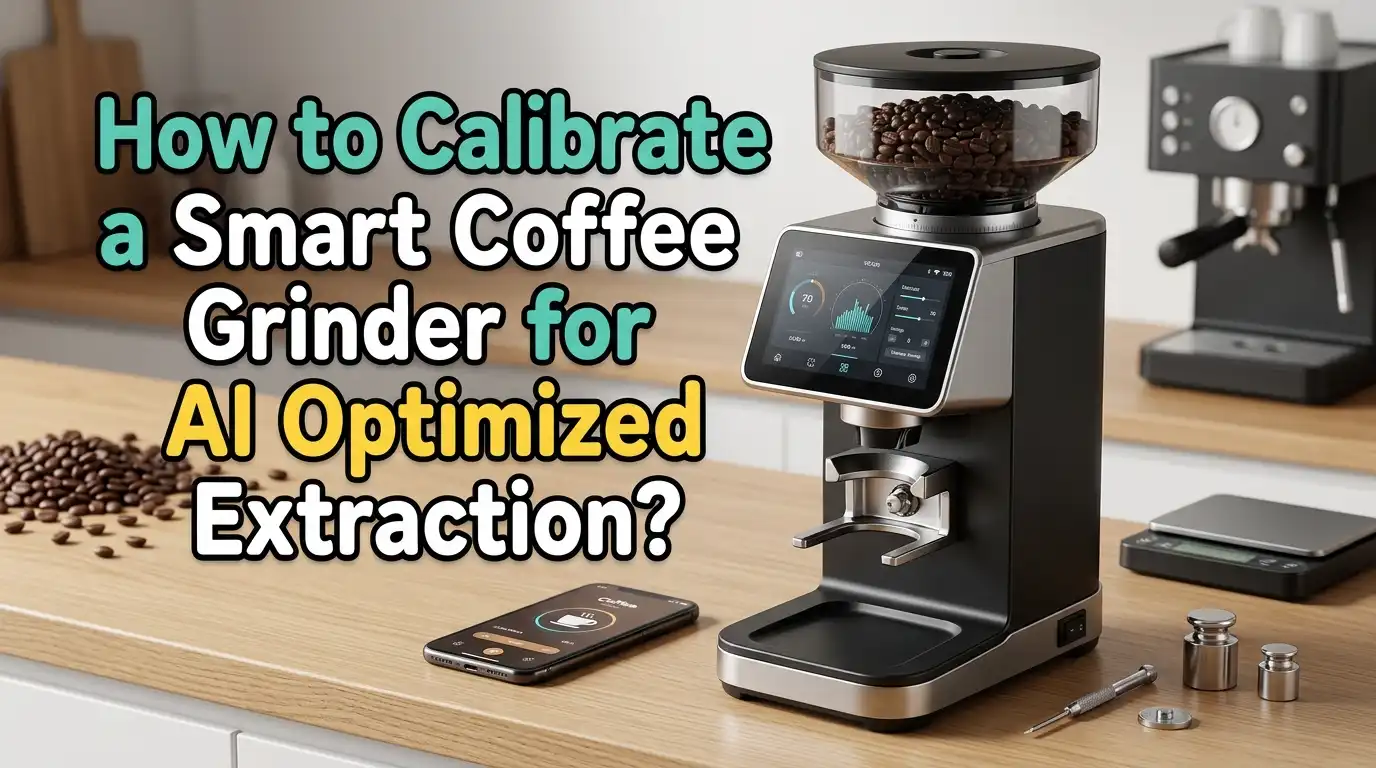
Many smart grinders display live data on a built in screen or companion app. Common readouts include grind position, dose weight, shot time, and extraction estimates. Some advanced models show particle distribution graphs and environmental readings.
When the AI detects a problem, it sends a notification. For example, it might say: “Shot running 4 seconds fast. Suggest moving grind 2 steps finer.” This kind of guided feedback keeps you in control while reducing guesswork.
Pay attention to the direction and size of suggestions. Small, infrequent adjustments mean the system is stable. Large or constant changes signal that something else is wrong, like stale beans, a dirty screen, or worn burrs.
Do not blindly accept every suggestion. Treat AI notifications as a second opinion from a knowledgeable assistant. You remain the final judge of what tastes good.
Pros: Faster troubleshooting, less wasted coffee, and a clear learning tool for new baristas.
Cons: Information overload for beginners, and some grinders use proprietary metrics that are hard to compare across brands.
Common Calibration Mistakes and How to Avoid Them
The most frequent mistake is skipping the purge grind after changing beans or grind settings. Old grounds trapped in the chute contaminate your new dose and throw off AI readings. Always grind and discard at least one full dose after any change.
Another common error is adjusting grind size while beans are in the hopper and the burrs are still. This can jam the burrs or create an inaccurate setting. Always run the grinder while making adjustments so the burrs move freely.
People also forget to clean their grinder regularly. Coffee oils build up on burrs and reduce cutting efficiency. Dirty sensors give the AI bad data. A weekly brush cleaning and a monthly deep clean keep everything accurate.
Finally, many users change too many variables at once. They switch beans, adjust the grind, and change the dose all in the same shot. Change one variable at a time so you can clearly identify what caused a flavor shift.
How to Maintain Burrs for Long Term AI Accuracy
Your grinder’s burrs are the heart of the system. Dull or damaged burrs produce inconsistent particles, and no amount of AI software can fix a hardware problem. Most manufacturers recommend replacing flat burrs every 500 to 1,000 kilograms of coffee and conical burrs every 750 to 1,500 kilograms.
Between replacements, keep burrs clean. Use a stiff brush to remove grounds after every session. Once a month, run grinder cleaning pellets through the machine to dissolve oil buildup. Avoid washing burrs with water unless the manufacturer specifically approves it.
Monitor your grinder’s data over time. If you notice the AI making increasingly large adjustments to maintain the same extraction, your burrs may be wearing down. Some smart grinders track burr wear directly and alert you when replacement is due.
Sharp burrs produce a tight particle distribution. The AI works best when the hardware gives it clean, consistent data. Think of burr maintenance as protecting your investment in both the grinder and the AI system built around it.
Comparing AI Calibration Methods: Fully Automatic vs Guided vs Manual
Smart grinders offer different levels of AI involvement. Fully automatic systems handle everything from grind adjustment to dose correction without any input from you. You press a button, and the machine delivers the result.
Guided systems monitor your brewing and suggest changes on screen, but you decide whether to accept them. The barista stays in the loop and learns from the feedback. This is the approach many specialty coffee professionals prefer.
Manual mode turns off AI features entirely. You control every variable yourself, using the grinder as a traditional precision tool. Some baristas prefer this for competition prep or for coffees that require unusual recipes.
Fully automatic pros: Speed, ease of use, and minimal training needed. Cons: Less control, potential for the system to optimize for the wrong target, and risk of skill erosion among baristas.
Guided pros: Best balance of technology and human judgment. Builds barista skill over time. Cons: Slower than full automation and still requires tasting and decision making.
Manual pros: Full control and deep understanding of variables. Cons: Slower, more waste during dialing in, and no safety net for mistakes.
When to Override the AI and Trust Your Taste
AI is a powerful tool, but your palate is the final authority. There are times when the numbers look perfect but the cup tastes flat or harsh. This can happen with unusual bean varieties, experimental processing methods, or very light roasts that extract differently from the norm.
If a coffee tastes great at 17.5% extraction, do not push it to 20% just because the AI suggests it. Some coffees peak outside the textbook range, and a well trained palate will detect this before a sensor does.
Override the AI when you switch to a completely new origin or processing style. Reset the profile, pull a few manual shots, and establish a new baseline. Let the AI learn the new coffee from scratch rather than forcing old data onto new beans.
Also override if environmental conditions change drastically, like a sudden heatwave or a move to a new location at a different altitude. Give the AI fresh data so it can recalibrate accurately. Trust the technology, but never stop tasting.
Building a Long Term Calibration Routine
Consistency comes from routine. Set a daily, weekly, and monthly schedule for your smart grinder. Every morning, pull a test shot and confirm the AI’s overnight adjustments are correct. Taste it. Compare it to your saved profile.
Every week, brush the burrs and wipe down the sensors. Check the hopper seal to make sure no moisture is getting in. Review the grinder’s data log in the app for any trends, like gradually increasing grind settings that could signal burr wear.
Every month, run cleaning pellets through the grinder. Inspect the burrs for chips or excessive wear. Update the grinder firmware if a new version is available. Firmware updates often include improved AI algorithms that handle edge cases better.
Record your notes in a simple spreadsheet or the grinder’s built in journal. Over weeks and months, you will build a dataset that makes dialing in new coffees faster and easier. Your experience plus the AI’s processing power creates a system that gets better with every cup.
Frequently Asked Questions
What is the ideal extraction percentage for espresso using a smart grinder?
The ideal extraction percentage for espresso sits between 18% and 22%. This range produces a balanced cup with sweetness, acidity, and body working together. Your smart grinder’s AI targets this window by adjusting grind size and monitoring shot data. However, some coffees taste best slightly outside this range, so always let your taste be the final guide.
How often should I recalibrate my smart coffee grinder?
You should confirm calibration every time you open a new bag of beans. You should also check it when weather conditions shift significantly or after cleaning the grinder. A quick daily taste test of your first shot is the simplest way to catch drift early. Full recalibration, including resetting the AI baseline, is recommended every one to two months.
Can I use a smart grinder without enabling AI features?
Yes. Most smart grinders include a manual mode that disables AI adjustments. This lets you control every variable yourself. Manual mode is useful for competition preparation, unusual recipes, or when you simply want to build your skills without automation. You can switch between modes at any time.
Do I need a refractometer to calibrate my smart grinder?
A refractometer is not required, but it is highly recommended. It provides objective data that confirms whether the AI’s suggestions are improving your coffee or not. Without one, you rely entirely on taste, which is valuable but subjective. A basic coffee refractometer gives you a measurable benchmark for every brew.
Why does my smart grinder keep changing the grind setting on its own?
Frequent automatic changes usually mean the AI is detecting inconsistencies. Common causes include fluctuating humidity, aging beans losing CO2, or dirty sensors giving inaccurate readings. Check your environment, confirm your beans are properly stored, and clean the grinder. If the problem continues, reset the AI profile and establish a fresh baseline with a new manual calibration.

Hi, I’m Emma Lee — the coffee-obsessed creator behind Morning Drip Vault. I spend my days testing coffee machines, exploring brewing techniques, and reviewing the latest coffee gear. My mission is simple: helping you find the perfect machine to brew your best cup, every single morning.